
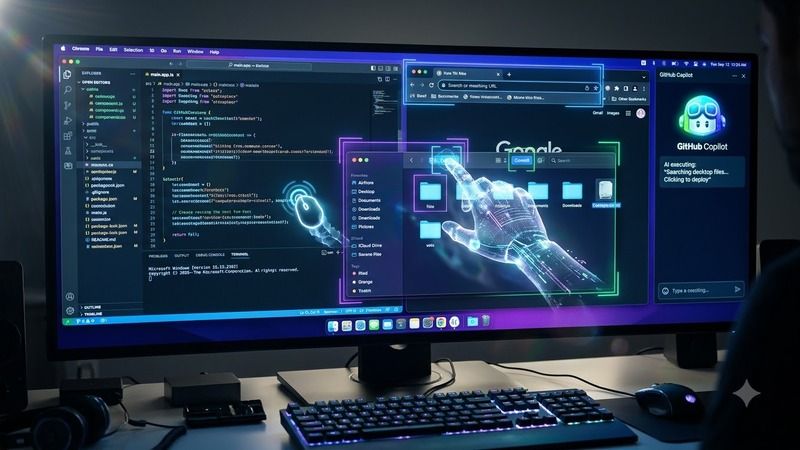

GitHub Just Gave Copilot the Ability to Click Around Your Desktop — Here's What "Computer Use" Actually Does
Table of Contents
- What GitHub actually shipped on October 28, 2026
- What "computer use" lets Copilot do, and the guardrails GitHub built in
- The feature that quietly matters more: comparing models side by side
- The open questions GitHub's own changelog doesn't answer
- Why this matters whether you're learning Python, Java, or DevOps
- What we're not claiming
Most editor updates add a feature inside the editor. This one adds a feature that reaches outside it — GitHub's own changelog says Copilot can now read and click through other desktop applications entirely, not just suggest code inside VS Code. That's a genuinely different category of capability, and this piece sticks closely to what GitHub itself actually documents, rather than the looser framing some coverage of this release has used.
What GitHub actually shipped on October 28, 2026
GitHub's own changelog, published October 28, 2026, bundles several updates to Copilot in VS Code under what it calls its "Universe releases." The confirmed list: cloud and multi-client sessions, which let an agent session started in VS Code's Agents window be picked up from the GitHub Copilot app, GitHub Mobile, github.com, or Copilot CLI; an "Agent Host" that isolates a session from any single VS Code window and can run on a remote machine over Remote SSH or dev tunnels, provided that remote machine and its Agent Host stay running; a "Copilot harness" built on the Microsoft Copilot SDK, now the default for new sessions; a preview feature called "Compare model results," covered in more detail below; the "computer use" feature, covered in the next section; a Customization Marketplace, on by default for individual users (Business and Enterprise administrators must separately allow "Editor preview features"); Copilot connectors, in preview, that let Copilot reach services like Slack, Notion, and Microsoft Learn without standing up a separate MCP server; new admin controls letting organizations require or block specific plugins and restrict installs to approved sources; and a Copilot CLI installer available through the VS Code installer on Windows, a PATH option on macOS, or directly on Linux.
One thing to call out directly: some coverage of this release used the term "Copilot Fusion" and mentioned an AI image-generation feature. Neither term appears anywhere in GitHub's own changelog for this release, and the only source using them wasn't independently readable for this piece — so neither is included here as a confirmed feature. If you've seen either term elsewhere, it's worth checking GitHub's own changelog directly before treating it as official.
What "computer use" lets Copilot do, and the guardrails GitHub built in
GitHub's own description is direct: "With computer use, Copilot can read and interact with desktop apps, including clicking controls and editing text." That's not a figure of speech — the agent is genuinely operating other applications on your machine, not just the editor or a terminal window. Turning it on requires enabling a setting (chat.agentHost.computerUse.enabled), restarting VS Code, and running /computer on inside a Copilot session running on your own machine. GitHub labels this feature "experimental" in its own documentation — not a quiet rollout, but one it's explicitly flagging as early-stage.
The stated safeguards, per GitHub: each individual application requires your approval before the agent can use it; on macOS, the system permissions this requires are granted once and then shared across Copilot CLI and the GitHub Copilot app, meaning a single approval extends further than just the one session you granted it in; and organizations can disable computer use entirely through policy if they choose to.
The feature that quietly matters more: comparing models side by side
Less dramatic than an agent clicking through your desktop, but arguably more useful day to day, is "Compare model results" — also in preview. It runs the same task through multiple models and harnesses in parallel inside the Agents window, has a "Judge" model recommend which attempt looks best, and offers a "Synthesize" button that combines ideas across the different attempts into one result. This is the closest thing in GitHub's own changelog to a multi-model-combination feature, even though GitHub doesn't brand it with any name resembling the "Copilot Fusion" label mentioned elsewhere.
The open questions GitHub's own changelog doesn't answer
A few things worth sitting with, stated here as open questions rather than confirmed facts, since GitHub's changelog doesn't address them: an agent that reads a screen and clicks controls can plausibly be steered by text it encounters on that screen or inside a document it's told to open — a prompt-injection risk the changelog doesn't discuss. It's also unclear from the published material whether per-application approval persists indefinitely or needs to be granted again later, whether any audit log exists for what the agent actually clicked or typed, and how access scope differs between a session running on your own machine versus one running remotely on a cloud agent host. None of these are flaws GitHub has admitted to — they're gaps in what's been published so far, and worth checking GitHub's own documentation directly before relying on computer use for anything sensitive.
Why this matters whether you're learning Python, Java, or DevOps
Innovative Academy doesn't run a dedicated IDE or developer-tooling course, but VS Code is the editor used day to day across its Python, Java, C/C++, and DevOps training — meaning a capability shift like this one touches students across every one of those programs, not because the feature itself is part of any curriculum, but because knowing what your own tooling can do on your machine, and what it's been granted permission to do, is basic operational literacy once an assistant moves from suggesting code to directly operating other applications. That's a genuinely different trust decision than accepting a code suggestion, and it's worth understanding before turning an experimental feature like this one on, not after. Contact for course details: 8447712333.
What we're not claiming
We're not claiming "Copilot Fusion" or an AI image-generation feature exist in this release — neither term appears in GitHub's own changelog, and the secondary source that used them wasn't independently verified here. We're not claiming computer use is a mature, fully vetted feature; GitHub's own "experimental" label, combined with the open questions above, means this is new functionality that's still settling, not something to treat as production-ready by default. And we're not claiming every feature in this release is generally available to every Copilot plan — Compare model results, computer use, Copilot connectors, and parts of the Customization Marketplace are all explicitly labeled preview or experimental by GitHub itself, so availability and behavior could still change before any of them reach general availability.