
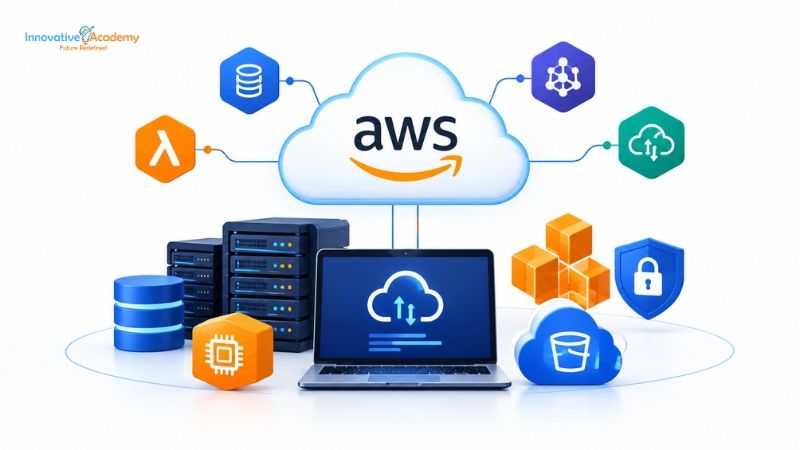

AWS Cloud Computing in 2026: Complete Beginner’s Guide to Building a Cloud Career
Table of Contents
- What Is AWS Cloud Computing?
- Why Is AWS Important in 2026?
- How Does AWS Cloud Computing Work?
- Important AWS Services for Beginners
- AWS Skills You Should Learn
- AWS Career Opportunities
- AWS Certification Roadmap
- AWS Beginner Roadmap for 2026
- AWS Projects You Should Build
- Do You Need Programming to Learn AWS?
- AWS and Networking: Why Networking Matters
- AWS and Linux: Why Linux Skills Matter
- How Long Does It Take to Learn AWS?
- Why Hands-On AWS Training Matters
- AWS Career Roadmap for Beginners
- Frequently Asked Questions
- Conclusion
Cloud computing has changed the way businesses build, deploy, store, and manage applications. Instead of purchasing and maintaining physical servers, organizations can access computing resources over the internet and scale them according to their needs.
Among the major cloud platforms, Amazon Web Services (AWS) remains one of the most widely used cloud ecosystems, offering services across computing, storage, databases, networking, security, analytics, AI, and application development.
For students, IT professionals, networking engineers, developers, and beginners planning a career in cloud computing, learning AWS can be a valuable step toward developing practical cloud skills.
In this guide, we will understand what AWS is, how AWS cloud computing works, which services beginners should learn, what skills are required, certification options, and how to build a career in AWS in 2026.
1. What Is AWS Cloud Computing?
Amazon Web Services (AWS) is a cloud computing platform that provides on-demand access to infrastructure and technology services through the internet.
Instead of purchasing physical servers, organizations can use AWS resources when they need them and scale those resources based on demand.
Cloud computing generally provides access to resources such as:
- Computing power
- Storage
- Databases
- Networking
- Security
- Analytics
- Application services
- AI and machine learning tools
Simple Example
Imagine a company wants to launch an online shopping website.
Traditionally, the company might need to:
- Purchase physical servers
- Set up networking equipment
- Configure storage
- Maintain the hardware
- Plan for future traffic
- Hire staff to manage infrastructure
With AWS, the company can provision cloud resources and scale them as requirements change.
This flexibility is one of the major reasons businesses use cloud platforms.
If you are new to cloud computing, you can also explore AWS training in Bangalore to understand how structured cloud learning can help you develop practical skills.
2. Why Is AWS Important in 2026?
Cloud computing is no longer limited to large technology companies. Businesses of different sizes use cloud infrastructure for websites, applications, databases, data analytics, security, artificial intelligence, backup, and other workloads.
AWS provides services across many areas, including:
- Compute
- Storage
- Databases
- Networking
- Security
- Analytics
- Containers
- Developer tools
- AI and machine learning
- Management and monitoring
AWS also continues to expand its learning ecosystem with beginner learning paths, hands-on labs, role-based learning, certifications, and practical cloud experiences.
For someone starting a cloud career, this means AWS is not simply about memorizing services. The bigger goal is developing the ability to design, deploy, secure, monitor, and troubleshoot cloud infrastructure.
3. How Does AWS Cloud Computing Work?
AWS provides cloud infrastructure through data centers and global infrastructure.
A beginner can understand AWS through a few basic concepts.
Compute
Compute services provide processing power for applications and workloads.
A popular example is Amazon EC2, which allows users to run virtual servers in the AWS Cloud.
Storage
AWS provides different storage services for different requirements.
Amazon S3, for example, is commonly used for object storage.
Databases
AWS provides managed database services that allow organizations to run databases without managing every part of the underlying infrastructure themselves.
Networking
AWS provides networking capabilities that allow cloud resources to communicate securely.
This includes concepts such as:
- Virtual networks
- Subnets
- Routing
- Security groups
- Internet gateways
- Load balancing
Students interested in networking can strengthen their foundation through a CCNA course in Bangalore before progressing into advanced cloud networking.
Security
AWS also provides identity, access management, encryption, monitoring, and security services.
Understanding these building blocks gives beginners a strong foundation before moving into advanced AWS architecture.
4. Important AWS Services for Beginners
You don't need to learn hundreds of AWS services when you're starting.
Instead, focus on the services and concepts that form the foundation of cloud infrastructure.
Amazon EC2
EC2 provides virtual computing capacity in AWS.
You should understand:
- Instances
- AMIs
- Instance types
- Key pairs
- Security groups
- Elastic IPs
- Storage
- Monitoring
Amazon S3
S3 is an object storage service.
Beginners should understand:
- Buckets
- Objects
- Permissions
- Storage classes
- Versioning
- Lifecycle policies
Amazon VPC
VPC is particularly important for students coming from a networking background.
You should learn:
- VPC
- Subnets
- Route tables
- Internet gateways
- NAT
- Security groups
- Network ACLs
IAM
AWS Identity and Access Management helps control access to AWS resources.
Learn:
- Users
- Groups
- Roles
- Policies
- Permissions
- Least-privilege access
Amazon RDS
RDS provides managed relational database capabilities.
Understanding how applications communicate with databases is important for cloud engineers and developers.
CloudWatch
CloudWatch helps with monitoring and observability.
You can use it to understand:
- Metrics
- Logs
- Alarms
- Application and infrastructure monitoring
5. AWS Skills You Should Learn
Learning AWS isn't just about learning service names.
A job-ready AWS learner should develop a combination of cloud, networking, operating-system, security, automation, and troubleshooting skills.
1. Cloud Fundamentals
Understand:
- IaaS
- PaaS
- SaaS
- Public cloud
- Private cloud
- Hybrid cloud
- Scalability
- Elasticity
- Availability
2. Networking
Learn:
- TCP/IP
- DNS
- HTTP/HTTPS
- IP addressing
- Subnetting
- Routing
- Firewalls
- Load balancing
3. Linux
Linux is widely used in cloud environments, so basic Linux administration can be extremely useful.
Learn more about Linux training in Bangalore if you want to build stronger operating-system and cloud infrastructure skills.
4. AWS Services
Start with core services such as:
- EC2
- S3
- VPC
- IAM
- RDS
- CloudWatch
5. Security
Learn how identity, permissions, network controls, encryption, and monitoring work.
6. Automation
As you progress, learn tools such as:
- Git
- Terraform
- Docker
- Kubernetes
- Jenkins
- AWS CLI
This combination can help you move beyond theoretical knowledge toward practical cloud engineering.
6. AWS Career Opportunities
AWS skills can be useful across several technology roles.
AWS Cloud Engineer
Focuses on deploying, managing, and troubleshooting cloud infrastructure.
Cloud Support Engineer
Helps customers or internal teams troubleshoot cloud environments and services.
Solutions Architect
Designs cloud architectures based on business and technical requirements.
DevOps Engineer
Works with automation, CI/CD, infrastructure, containers, monitoring, and cloud platforms.
If you want to combine AWS with automation and deployment technologies, explore the DevOps training program in Bangalore.
Cloud Administrator
Manages cloud resources, configurations, users, security, and operations.
Cloud Security Engineer
Focuses on protecting cloud infrastructure, identities, workloads, and data.
7. AWS Certification Roadmap
Certification can be useful for validating your knowledge, but it should complement—not replace—hands-on experience.
For beginners, a possible progression is:
Cloud Fundamentals → Foundational Certification → Associate-Level Skills → Hands-On Projects → Advanced Specialization
A Beginner-Friendly Approach
Step 1: Learn cloud fundamentals
↓
Step 2: Learn AWS core services
↓
Step 3: Build practical AWS projects
↓
Step 4: Choose a career direction
↓
Step 5: Prepare for a relevant AWS certification
↓
Step 6: Build a portfolio and prepare for interviews
Remember that certifications and job requirements can change over time, so always verify the current AWS certification portfolio before choosing an exam.
8. AWS Beginner Roadmap for 2026
If you're completely new to AWS, don't try to learn everything at once.
Follow a structured roadmap.
Phase 1: Learn IT Fundamentals
- Computer networking
- TCP/IP
- DNS
- Linux basics
- Basic security
Phase 2: Learn Cloud Fundamentals
- Cloud computing
- Virtualization
- Regions
- Availability Zones
- Scalability
- Elasticity
- High availability
Phase 3: Learn Core AWS
- EC2
- S3
- IAM
- VPC
- RDS
- CloudWatch
Phase 4: Practice
Create your own AWS environment and perform tasks such as:
- Launching an EC2 instance
- Configuring security groups
- Creating an S3 bucket
- Building a VPC
- Creating subnets
- Deploying a simple application
- Monitoring resources
Phase 5: Specialize
Once your fundamentals are strong, choose an area such as:
- Cloud architecture
- DevOps
- Cloud security
- Cloud networking
- Cloud administration
- Data
- AI/ML
9. AWS Projects You Should Build
Projects are one of the best ways to turn theoretical knowledge into practical skills.
Project 1: Host a Website on AWS
Learn how to deploy a simple website using AWS storage and related services.
Project 2: Deploy an Application on EC2
Launch an EC2 instance, configure the server, install an application, and make it accessible through the internet.
Project 3: Build a VPC
Create:
- VPC
- Public subnet
- Private subnet
- Route tables
- Internet gateway
- Security groups
Project 4: Create a Secure Cloud Environment
Combine IAM, VPC networking, security groups, logging, and monitoring.
Project 5: Build a Basic CI/CD Pipeline
Once you understand the fundamentals, move into DevOps by connecting Git, CI/CD tooling, containers, and AWS services.
10. Do You Need Programming to Learn AWS?
No, you don't necessarily need to be an expert programmer to start learning AWS.
However, programming and scripting skills can become increasingly useful as you move toward advanced cloud and DevOps roles.
For beginners, focus first on:
- Linux
- Networking
- AWS fundamentals
- Security
- Cloud architecture
Later, you can learn:
- Python
- Bash
- PowerShell
- Infrastructure as Code
- Automation
The skills you need will depend on your target role.
11. AWS and Networking: Why Networking Matters
Networking is one of the most important foundations for cloud computing.
When you work with AWS, you will encounter concepts such as:
- IP addresses
- Subnets
- Routing
- DNS
- Ports
- Security groups
- Network ACLs
- Load balancers
- VPNs
This is why students with networking knowledge can have a useful foundation when moving into cloud computing.
If you already understand CCNA-level networking concepts, learning AWS networking can become easier because many cloud networking concepts build on familiar fundamentals.
Explore the CCNA training program in Bangalore to strengthen your networking foundation.
12. AWS and Linux: Why Linux Skills Matter
Linux is another important skill for cloud professionals.
Many cloud workloads use Linux-based operating systems, and cloud engineers frequently work with:
- SSH
- File permissions
- Processes
- Services
- Package management
- Shell commands
- Logs
- Networking commands
A strong combination of Linux + Networking + AWS can provide a solid foundation for cloud infrastructure roles.
13. How Long Does It Take to Learn AWS?
There is no single answer because the timeline depends on your existing knowledge and the role you want.
A student with no IT background may need to first understand networking and operating-system fundamentals.
Someone who already knows networking and Linux can generally move faster into AWS concepts.
A practical progression might look like:
- Month 1: Cloud + networking fundamentals
- Month 2: AWS core services
- Month 3: Hands-on projects + security + troubleshooting
- After that: Specialization in DevOps, architecture, security, networking, or another cloud role
The important thing isn't simply finishing an AWS course.
The goal should be to reach the point where you can explain, build, troubleshoot, and secure AWS environments.
14. Why Hands-On AWS Training Matters
Cloud computing is highly practical.
Watching videos and reading documentation can help you understand concepts, but practical labs help you understand how those concepts work in real environments.
A good AWS learning program should ideally include:
- Instructor guidance
- Live demonstrations
- AWS console practice
- Networking labs
- Linux practice
- Real-world projects
- Troubleshooting exercises
- Interview preparation
This approach helps learners build confidence beyond simply memorizing AWS terminology.
To explore practical cloud learning options, visit Innovative Academy and explore the available networking and cloud computing programs.
15. AWS Career Roadmap for Beginners
If your ultimate goal is to build a career in cloud computing, think beyond certification.
Step 1 — Build IT Fundamentals
Learn networking and Linux.
Step 2 — Understand Cloud Computing
Learn how cloud infrastructure differs from traditional infrastructure.
Step 3 — Learn AWS
Master core AWS services and concepts.
Step 4 — Practice
Build projects and troubleshoot real scenarios.
Step 5 — Choose a Career Path
- AWS → Cloud Engineer
- AWS → Solutions Architect
- AWS → DevOps Engineer
- AWS → Cloud Security
- AWS → Cloud Networking
Step 6 — Build Your Portfolio
Document your projects and technical skills.
Step 7 — Prepare for Interviews
Practice:
- AWS questions
- Networking questions
- Linux questions
- Troubleshooting scenarios
- Project explanations
This is a much stronger approach than simply collecting certifications without practical experience.
16. Frequently Asked Questions About AWS
Is AWS good for beginners?
Yes. AWS provides beginner-oriented learning paths and foundational resources designed to introduce learners to cloud concepts and core AWS services.
Can I learn AWS without an IT background?
Yes. You can start with cloud fundamentals, but learning basic networking and Linux can make the journey much easier.
Is AWS certification enough to get a job?
Certification can demonstrate knowledge, but employers may also evaluate practical skills, projects, troubleshooting ability, communication, and experience.
Which AWS services should beginners learn first?
Start with foundational services and concepts such as EC2, S3, IAM, VPC, RDS, and CloudWatch, while also learning basic cloud architecture and security.
Is networking important for AWS?
Yes. Networking concepts are fundamental to designing and troubleshooting cloud infrastructure.
Should I learn Linux before AWS?
You can start AWS without advanced Linux knowledge, but Linux skills are highly useful for many cloud and DevOps roles.
Is AWS still relevant in 2026?
AWS continues to expand its cloud, AI, training, and certification ecosystem. Its learning platform includes cloud and AI resources, hands-on experiences, and role-based learning paths.
17. Conclusion
AWS cloud computing offers beginners a structured path into the rapidly evolving world of cloud infrastructure.
But learning AWS should not mean trying to memorize hundreds of services.
Start with the fundamentals:
Networking → Linux → Cloud Computing → AWS Core Services → Security → Hands-On Projects → Specialization
Once you have this foundation, you can progress toward roles such as Cloud Engineer, Solutions Architect, DevOps Engineer, cloud administrator, or cloud security engineer.
For students and IT professionals in Bangalore, combining AWS with networking, Linux, and practical cloud projects can be a strong way to build job-ready cloud skills.
Ready to start your cloud journey?
Explore AWS training in Bangalore at Innovative Academy and build your foundation through practical learning designed to help you progress toward a cloud-focused career.
You can also explore related programs such as CCNA training, Linux training, and DevOps training to build a broader cloud and infrastructure skill set.
