
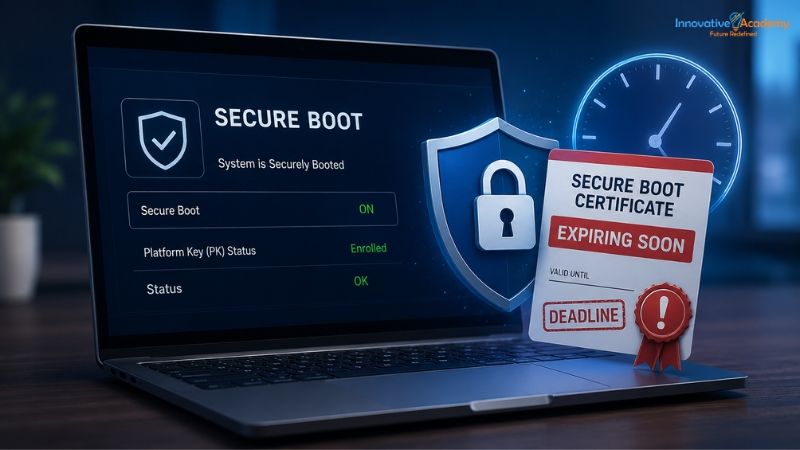

Your PC's Trust Has an Expiration Date: The Secure Boot Certificate Deadline You Can't Ignore
Table of Contents
- What Secure Boot Actually Does
- The Certificates Are Turning 15 — And That's a Problem
- What Actually Happens When a Certificate Expires
- Why "Nothing Visibly Breaks" Is the Dangerous Part
- Who Needs to Actually Worry About This
- How to Check Your PC's Status Right Now
- What IT Administrators Should Be Doing
- The Bigger Lesson Behind a Boring-Sounding Deadline
- Final Thoughts
Every Windows PC you've used for the last decade and a half has quietly relied on the same set of cryptographic certificates to keep its boot process secure. They were issued by Microsoft back in 2011, baked directly into your motherboard's firmware, and most people have never had a single reason to think about them.
That's changing right now.
Starting in June 2026, the first of these certificates began expiring—and while your PC won't suddenly refuse to turn on, it will start losing something far less visible and, in the long run, far more important: its ability to defend itself against a specific and dangerous category of malware.
This isn't a flashy feature update or a UI redesign. It's a foundational piece of PC security quietly reaching the end of its planned life cycle, and understanding what's actually happening—and what, if anything, you need to do about it—is worth five minutes of your attention.
What Secure Boot Actually Does
To understand why this feature matters, it helps to understand what Secure Boot is actually protecting against in the first place.
Secure Boot is a security standard built into the UEFI firmware of virtually every PC sold since around 2012 — the low-level software that runs before Windows itself even starts loading. Its job is narrow but critical: verify that every piece of software involved in starting up your computer—the boot loader, UEFI drivers, and other early boot components—has been cryptographically signed by a trusted party before allowing it to run.
This matters because of a particularly nasty category of malware called a bootkit.
A bootkit doesn't try to infect Windows after it's already running, the way most malware does. Instead, it tries to insert itself into the boot chain itself, loading before the operating system, before your antivirus software, before anything that might normally catch it.
Because it runs at such a low level, a successful bootkit can be extraordinarily difficult to detect and remove—in some cases surviving a full operating system reinstall, since the infection lives in the boot process rather than in Windows itself.
Secure Boot exists specifically to stop such attacks. If a bootkit or any other untrusted component tries to insert itself into the startup sequence, Secure Boot checks its cryptographic signature against a list of trusted certificates and simply refuses to let it run.
It's one of the quieter, more foundational layers of PC security attacks that most users never think about it at all.
That trust, though, is enforced through cryptographic certificates stored in your device's firmware. And those certificates, like any cryptographic credential, have an expiration date.
The Certificates Are Turning 15 — And That's a Problem
The Secure Boot certificates currently in use on most Windows PCs were issued back in 2011, when Secure Boot was first introduced. Fifteen years is a long lifespan for any cryptographic credential, and Microsoft designed the system with that expiration in mind from the start—much the way an SSL certificate for a website needs periodic renewal to remain trustworthy.
Three specific certificates are involved in this transition, with staggered expiration dates:
- Microsoft Corporation KEK CA 2011 — expires June 24, 2026
- Microsoft Corporation UEFI CA 2011 — expires June 27, 2026
- Microsoft Windows Production PCA 2011 — expires October 19, 2026
To replace them, Microsoft has issued a new set of 2023-dated certificates—including Windows UEFI CA 2023 and Microsoft Corporation KEK 2K CA 2023—which are valid through 2038.
According to Microsoft engineers who addressed the transition directly in a March 2026 "Ask Microsoft Anything" session, a separate transition toward post-quantum cryptography is already being planned for around 2030 for future hardware generations.
This is not a one-time patch — it's what Microsoft has described as the first global, large-scale certificate refresh in Secure Boot's history, and it affects an enormous, aging population of devices across consumer, business, and education environments, all of which need to be transitioned without disrupting day-to-day operation.
What Actually Happens When a Certificate Expires
Here's the question everyone actually wants answered: Does your PC just stop working?
The answer, consistently confirmed by Microsoft and hardware vendors including Dell and HP, is no—and this is genuinely important to understand, because it's easy to imagine a Y2K-style cliff that simply isn't what's happening here.
If a device reaches the expiration date without the updated 2023 certificates installed, it will continue to boot and operate completely normally. Standard Windows updates will keep installing without interruption. Nothing about your day-to-day experience using the PC changes in any visible way.
What does change is more subtle, and more concerning over time: the device loses the ability to receive new security protections specifically tied to the early boot process.
This includes updates to the Windows Boot Manager, updates to the Secure Boot trust databases, updates to revocation lists (the blacklist of known-compromised signatures — the mechanism that, for instance, blocked the real-world BlackLotus bootkit once its signature was identified), and fixes for any newly discovered vulnerabilities in the boot chain itself.
Microsoft has described this resulting condition plainly as a "degraded security state."
Your PC keeps working. It just stops getting stronger against a specific, serious category of threat.
Why "Nothing Visibly Breaks" Is the Dangerous Part
If you've read this far and are thinking, "so nothing bad actually happens," that reaction is exactly the trap worth calling out.
Most security failures that get public attention are the loud, obvious kind—a ransomware note kind of age or a data breach headline. Those get fixed quickly precisely because they're impossible to ignore.
A degraded Secure Boot state is the opposite: invisible, gradual, and easy to genuinely forget about, precisely because the computer keeps working exactly as it always has.
That's what makes this particular deadline worth taking seriously rather than dismissing as IT department noise.
A device stuck on expired 2011 certificates isn't broken today. But every month that passes without the update is another month where any newly discovered boot-level vulnerability simply can't be patched on that machine—while it can be patched, automatically and invisibly, on every device that has already made the transition.
Over time, that gap compounds, and the devices left behind become a genuinely more attractive target for exactly the kind of sophisticated, hard-to-detect attack that Secure Boot was built to prevent in the first place.
Who Needs to Actually Worry About This
For the large majority of everyday Windows users, the honest answer is probably no one needs to do anything manually.
If you keep Windows Update turned on and Secure Boot enabled — which is the default configuration on nearly all consumer PCs — the certificate transition happens automatically in the background, delivered as part of your regular monthly updates.
Many PCs manufactured since 2024 already shipped with the newer 2023 certificates preinstalled, meaning a substantial share of users are already covered without realizing it.
The people who genuinely need to pay closer attention fall into a few specific categories:
- Owners of older, unmanaged PCs—particularly machines that don't reliably stay connected to Windows Update or that have had automatic updates disabled for any reason.
- IT administrators managing fleets of devices, especially in organizations that manage their own update deployment rather than relying on Microsoft's default rollout, since the certificate handoff touches UEFI firmware directly and needs to be validated across potentially thousands of machines with varying hardware configurations.
- Anyone running devices with custom or third-party bootloaders, since compatibility with the new certificate chain isn't automatically guaranteed the way it is for standard, OEM-signed configurations.
- Users of Windows 10 or older unsupported versions who are not enrolled in Extended Security Updates — since these devices no longer receive Windows updates at all, they will not receive the new certificates either, regardless of how the transition otherwise unfolds.
How to Check Your PC's Status Right Now
For everyday users who want to check quickly, Microsoft provides a direct way to do so: open Windows Settings, navigate to Privacy & Security, then Windows Security, and then Device Security.
Under the Secure Boot section, a green circle with a white checkmark indicates the device is on track and ready for the transition. A yellow or red warning indicates that you may need to take further action or pay attention, and the panel provides additional detail directly.
For anyone managing multiple devices, Microsoft's Secure Boot certificate rollout landing page provides more detailed monitoring guidance, including a specific registry key—UEFICA2023Status—that can be used to track certificate deployment status programmatically across a fleet of machines.
What IT Administrators Should Be Doing
For organizations managing their device updates rather than relying entirely on Microsoft's automatic rollout, Microsoft has published a dedicated "Secure Boot playbook" specifically for this transition, and the broad strokes of a sound approach look familiar to anyone who's managed a large-scale infrastructure change before:
1. Inventory Your Fleet
Identify devices, firmware versions, and current certificate status across your environment before making any changes.
2. Monitor Deployment Status
Use the UEFICA2023Status registry key and Event Viewer logs (specifically Event ID 1795, which flags errors during the certificate handoff to firmware) to track progress and catch failures early.
3. Coordinate With OEMs Where Needed
Some older systems require a firmware update from the hardware manufacturer before they can properly accept and retain the new certificates—this coordination takes time and should start well before any deadline, not after.
4. Prioritize Devices at Highest Risk
Older hardware, machines with unreliable connectivity to Windows Update, and any systems running custom bootloaders deserve earlier, more hands-on attention than standard, actively managed corporate laptops.
5. Don't Wait for a Catastrophic Failure to Act
Because nothing visibly breaks on the expiration date itself, it's easy for this kind of transition to quietly slip down a priority list. Treat the invisible nature of the risk as a reason for more proactive tracking, not less.
The Bigger Lesson Behind a Boring-Sounding Deadline
It would be easy to read a story about certificate expiration dates and firmware updates and conclude there's nothing particularly interesting here—it sounds like the kind of background IT maintenance that happens constantly and rarely matters to anyone outside a systems administration team.
But that reaction is exactly what makes this topic worth understanding.
Modern computer security is built almost entirely on layers of cryptographic trust that most people never see and rarely think about—certificates, signing chains, revocation lists, and key rotation schedules.
These systems work precisely because they operate quietly and reliably in the background. But "quiet and reliable" doesn't mean "permanent," and understanding how and why these trust chains need periodic renewal — rather than treating them as a fixed, unchanging part of how a computer works — is genuinely foundational knowledge for anyone serious about a career in IT, systems administration, or cybersecurity.
This is exactly the kind of underlying-systems thinking that Innovative Academy's Networking Fundamentals Course in Bangalore develops.
Rather than treating security as a list of tools to install, these programs walk learners through how trust actually gets established and maintained at the hardware and firmware level—UEFI, cryptographic signing, certificate authorities, and the boot process itself—so that a headline like "Secure Boot certificates are expiring" isn't confusing or intimidating but instantly understandable in terms of what's actually happening under the hood.
Final Thoughts
The deadline itself isn't going to break your PC.
But understanding exactly why it exists and what it protects against is the difference between passively hoping Windows Update handles it and actually knowing whether your systems are secure.
