
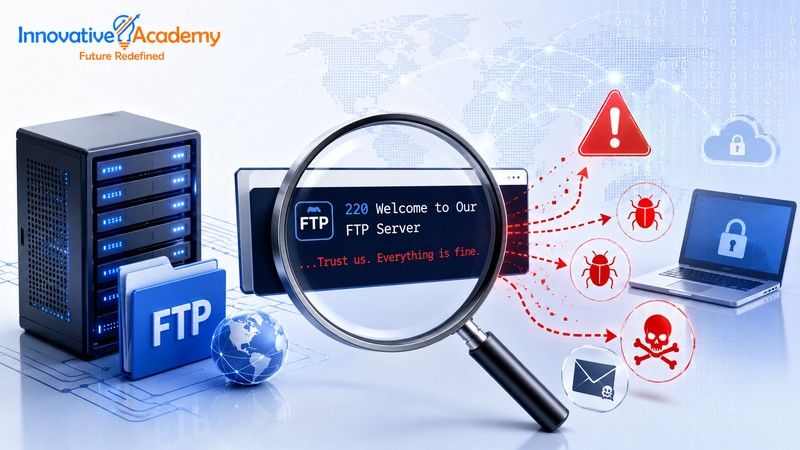

Malware Is Hiding in FTP Banners Now—Here's How the Attack Works
Table of Contents
- How Dead-Drop Resolvers Work and Why They Matter
- How the Infection Chain Works
- Two Payloads, Two Different Playbooks
- Why Detectability Doesn't Mean Safety
- What to Check in Your Own Environment
- Building the Fundamentals That Catch This
FTP servers have always greeted incoming connections with a banner—a short text message displayed before you even log in, usually just a name, version number, or a welcome line. It's one of the most mundane, least-scrutinized corners of a decades-old protocol.
Which is precisely why threat actors have started using it to smuggle commands to compromised machines.
Since early July 2026, security researchers at MalwareHunterTeam and threat intelligence firm SOCRadar have been tracking a technique that hides malicious PowerShell instructions inside FTP banner responses—turning a pre-authentication greeting into what researchers call a "dead-drop resolver": a place a compromised system can check for instructions without directly contacting a command-and-control server.
It's a small, almost quaint-sounding detail—commands hidden in a welcome message—but it's a useful case study in how attackers keep finding value in the parts of a protocol that defenders assumed were too boring to weaponize.
1. How Dead-Drop Resolvers Work and Why They Matter
The term comes from traditional tradecraft: a dead drop is a location where information is left for later pickup, without the two parties ever meeting directly.
In malware terms, a dead-drop resolver is a public or semi-public location—a paste site, a social media profile, or a cloud document—where a piece of malware can check for its next set of instructions, rather than reaching out directly to infrastructure the attacker controls and has to keep hidden.
The appeal is straightforward: traffic to a legitimate platform is far less likely to get flagged than traffic to an unknown IP address.
FTP banners are an unusual choice for this technique, precisely because FTP traffic is itself unusual in most modern environments. Most organizations' normal traffic patterns don't include much outbound FTP anymore, which has both positive and negative implications.
It means this method is more conspicuous than hiding instructions in, say, a Pinterest post—which the second malware family in this campaign actually does.
But it also means that many monitoring setups aren't tuned to look closely at this channel, because nobody expected it to carry anything worth inspecting.
This is why understanding network protocols at a practical level matters. Strong networking fundamentals help security and infrastructure professionals recognize when ordinary protocol behavior starts looking abnormal. If you're building those fundamentals, you can explore Innovative Academy's CCNA Training in Bangalore for hands-on networking and protocol-focused learning.
2. How the Infection Chain Works
The attack doesn't start with the FTP server at all—it starts with phishing.
Victims receive ZIP archives containing malicious content. LNK shortcut files are a well-worn delivery pattern that continues to work because ZIP-wrapped shortcuts routinely slip past filters tuned mainly for executable attachments.
Once executed, the shortcut connects out to an attacker-controlled FTP server.
But instead of transferring files—the ordinary purpose of an FTP connection—it reads the banner, the greeting text displayed before authentication even happens, and extracts a PowerShell script embedded inside it.
That script then runs, kicking off the next stage of the infection.
It's a clever abuse of trust in protocol behavior: FTP banners aren't something most monitoring tools scrutinize, because they're not supposed to contain executable logic—they're metadata, not payload, by convention.
That's precisely the gap this technique exploits: the attack doesn't break any FTP specification; it just uses a field nobody thought to treat as a security boundary—the kind of protocol-level scrutiny that networking training is built around.
3. Two Payloads, Two Different Playbooks
The campaign delivers one of two distinct pieces of malware, and the contrast between them is instructive on its own—they represent two different philosophies of staying hidden.
E4del
E4del is a Node.js-based remote access trojan, packaged inside a digitally signed Electron application disguised as Discord—a detail worth flagging on its own, since a valid signature is precisely what a lot of endpoint tooling treats as a trust signal.
Electron apps are common enough on user machines that one more doesn't necessarily stand out.
Once running, E4del can execute commands through persistent or temporary shells, capture screenshots, stream the desktop live over WebSockets, download and execute further payloads, and attempt privilege escalation through a module named crypto32.node.
Functionally, it's a fairly complete remote-access toolkit—closer to commercial remote-support software in capability than to a narrow, single-purpose stealer.
That makes its disguise as a familiar consumer app particularly effective. A user who sees a Discord-looking icon has little reason to suspect anything.
PINHOLE
PINHOLE takes a quieter approach entirely.
Rather than checking in with a traditional C2 server, it pulls its configuration from Pinterest pins and SurveyMonkey survey questions—public platforms that blend into normal traffic far better than a raw FTP connection does, and that most network monitoring has no reason to flag as suspicious.
It keeps a minimal memory footprint using shellcode rotation in small, 4KB sections—a technique aimed at reducing what static and behavioral scanners have to detect at any given moment.
PINHOLE can also inject itself into ApplicationFrameHost.exe, a legitimate Windows system process, via Early Bird APC injection, a method that plants malicious code early in a process's lifecycle before most security tooling starts monitoring it.
It supports 14 commands covering file operations, browser credential theft, and process management.
Researchers observed only 11 execution events tied to PINHOLE so far—a sign the malware may still be in early-stage or limited deployment rather than full-scale use.
The tooling here is more mature than the observed deployment volume, suggesting the technique could scale up.
4. Why Detectability Doesn't Mean Safety
Researchers are candid that the FTP-banner method is actually less stealthy than more common dead-drop techniques that piggyback on legitimate platforms like GitHub or YouTube.
An unexpected outbound FTP connection to an unfamiliar server is a more obvious red flag than HTTPS traffic to a well-known domain, which blends into the general noise of a typical workday.
That's arguably the more useful takeaway for defenders: the FTP-banner method isn't a technique to panic over on the strength of its cleverness alone.
It's one to make sure your monitoring actually catches, precisely because it's less subtle than the alternatives attackers have available.
A technique doesn't need to be undetectable to succeed—it just needs to land in a blind spot, and "nobody inspects FTP banner contents" turned out to be exactly that.
It's also a reminder that attackers don't need novel protocols or zero-days to make progress.
Two forty-year-old ideas—a banner message and a phishing ZIP—combined with two very different modern malware payloads are enough to build a working campaign.
Defense doesn't require anticipating every possible clever reuse of old protocol fields; it requires the kind of network monitoring fundamentals that surface unusual behavior regardless of the specific trick used to produce it.
5. What to Check in Your Own Environment
A few questions are worth walking through with your monitoring and endpoint setup, independent of whether this specific campaign ever reaches you:
Outbound FTP Visibility
Are outbound FTP connections from user endpoints logged and alerted on, or are they treated as background noise because "nobody uses FTP anymore"?
Ironically, that assumption is precisely what makes FTP traffic worth watching—legitimate use has dropped enough that unexpected use stands out, if anyone's looking.
Attachment Filtering on ZIP/LNK Combinations
Does your email or attachment filtering flag ZIP archives that contain LNK files?
LNK files are a well-worn phishing pattern independent of this specific campaign, making this a cheap, high-value control regardless of what's inside the shortcut.
Process Injection Detection
Would your endpoint tools detect process injection into a legitimate Windows process like ApplicationFrameHost.exe, or does detection stop at "is this binary signed"?
A signed malicious Electron application can potentially sail through a security model that puts too much trust in signatures without evaluating behavior.
Traffic to Unlikely Destinations
Does your team have visibility into unusual outbound traffic to platforms like Pinterest or SurveyMonkey from machines that have no business calling those services?
This is especially important for servers, point-of-sale terminals, unattended kiosks, and other systems that should have highly predictable network behavior.
Credential Theft Blast Radius
If browser-stored credentials on an infected endpoint were exfiltrated, do you have a fast path to force credential rotation for that user across connected systems, or would that take days to coordinate?
None of these are exotic controls—they're the kind of network and endpoint monitoring fundamentals that catch novel techniques precisely because they don't rely on recognizing the specific technique itself.
A monitoring posture built around "alert on unusual outbound behavior" can catch this campaign, the next one that reuses the same idea with a different protocol field, and plenty of attacks that haven't been publicly documented yet.
6. Building the Fundamentals That Catch This
Techniques like these succeed when the fundamentals—network monitoring, endpoint visibility, and protocol-level awareness—aren't in place, not because the malware itself is unbeatable.
Recognizing that an FTP banner shouldn't contain executable logic, or that a signed app performing unusual process injection deserves a second look, comes from understanding how these protocols and systems are supposed to behave.
For professionals looking to strengthen the operating-system side of this knowledge, Innovative Academy's Linux Administration Training in Bangalore covers Linux fundamentals, networking, services, monitoring, logs, security, and hands-on administration.
For cloud security professionals, Innovative Academy's Azure Security Course in Bangalore focuses on identity and access management, network security, monitoring, logging, incident response, and practical cloud security concepts.
Innovative Academy's Bengaluru-based CCNA, Linux Administration, and Azure Security courses are designed around hands-on, real-world grounding, helping learners become comfortable spotting anomalous behavior—an unexpected FTP call, a process injection, or a signed binary doing something it shouldn't.
Final Thoughts
Strip away the specific names—E4del, PINHOLE, FTP banners—and this campaign is really a story about two very old ideas still working in 2026: attackers hiding in the corners nobody's watching and defenders needing broad, boring fundamentals more than they need to predict every clever trick in advance.
The FTP banner field wasn't a security boundary until someone decided to treat it like one.
There are almost certainly other quiet corners of your own stack—old protocols, legacy services, and "nobody uses that anymore" assumptions—that deserve the same second look.
The practical takeaway isn't to go patch FTP specifically.
It's to audit your own blind spots: the traffic you've stopped monitoring because it's rare, the processes you trust because they're signed, and the "that's just metadata" assumptions baked into your tooling.
None of that requires predicting the next dead-drop resolver technique—it just requires the same discipline this campaign exploited the absence of.
Building that discipline, one protocol and one system at a time, is what turns a caught intrusion into the norm rather than the exception.
Recommended Learning Paths
- CCNA Training in Bangalore – Build strong networking, routing, switching, and troubleshooting fundamentals.
- Linux Administration Training in Bangalore – Develop practical Linux administration, networking, monitoring, and security skills.
- Azure Security Training in Bangalore – Learn cloud security, identity, access control, monitoring, and incident-response concepts.
- Explore All Innovative Academy Programs – Find networking, cloud, DevOps, Linux, and security training programs.
